
15 professional email signature examples for 2026
·14 min read
A professional email signature needs five things: your name, your role, your company, one direct way to reach you and one link worth clicking. Everything past that is a judgement call, and most of it is noise. The fifteen examples below show how that skeleton changes shape for a consultant, a founder, an agent, a lawyer and eleven other roles.
Every example on this page was produced by the same renderer that powers our free signature tool, so none of them are mockups you would have to rebuild by hand. The people and companies are illustrative (stock photography, invented names), but the layouts are exactly what the tool outputs.
Six of the fifteen at a glance. Select one to jump to the full version, what it is best for and why it works.
Signature line examples you can copy right now
A signature line is the plain-text version: the two to four lines that sit under your sign-off when you do not want a designed block. Here are four that work as they are. Replace the details and paste them into any email client.
| Use it for | The signature line |
|---|---|
| Shortest usable version | Jane Doe · Project Manager, Acme Corp · (555) 019-2834 |
| With one link worth clicking | Jane Doe · Project Manager, Acme Corp · acmecorp.com · (555) 019-2834 |
| Freelance or personal brand | Alex Ray · Freelance Graphic Designer · Portfolio: alexraydesign.com |
| Booking instead of a phone number | Sarah Jenkins · Customer Success, TechWave · Book 15 minutes: techwave.com/sarah |
Plain lines like these never break, but they carry no logo, no photo and nothing tappable beyond the link. The fifteen designed examples below are the alternative, and each one is rendered by the same tool that builds them.
Professional email signature examples at a glance
If you only want to know which style fits you, start here and jump to the example.
| Style | Best for | Photo or logo | Social links | Vertical space |
|---|---|---|---|---|
| Minimal | Consultants, freelancers, heavy repliers | No | 0-1 | Very small |
| Classic | Traditional business, agencies, firms | Optional | 1-2 | Medium |
| Executive | Founders, directors, leadership | Rarely | 1 | Small |
| Small business | Cafes, salons, trades, local services | Optional | 1-2 | Medium |
| Freelancer | Designers, developers, writers | Optional | 2 | Medium |
| Sales | Account executives, business development | Optional | 1 | Medium |
| Real estate | Agents and brokers | Yes | 2 | Larger |
| Creator | Personal brands, coaches, creators | Yes | 2-3 | Larger |
| Compact | Everyone, especially internal email | No | 0-1 | Smallest |
| Modern / QR | Anyone who also meets people in person | Optional | 1 | Larger |
1. Minimal professional email signature
|

Best for: Consultants, freelancers, executives and anyone who replies a lot
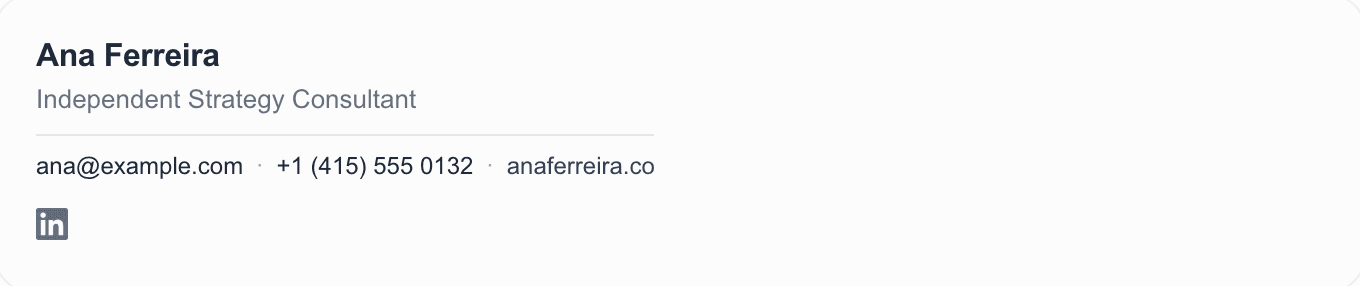
Four lines and a hairline rule. No image, no icon row, no tagline. Just the role, one phone number and a site worth visiting. This is the style that survives contact with the largest number of email clients, which is why it is first.
Why it works: Nothing here can break. With no images to block and no columns to collapse, it renders the same way almost everywhere, and it stays short when it is quoted back five replies deep.
- A signature with no images is the only kind you can be confident everyone sees the same way.
- If you only ever pick one style, this is the safe one.
2. Classic business email signature
|
Best for: Traditional businesses, accountants, agencies and firms
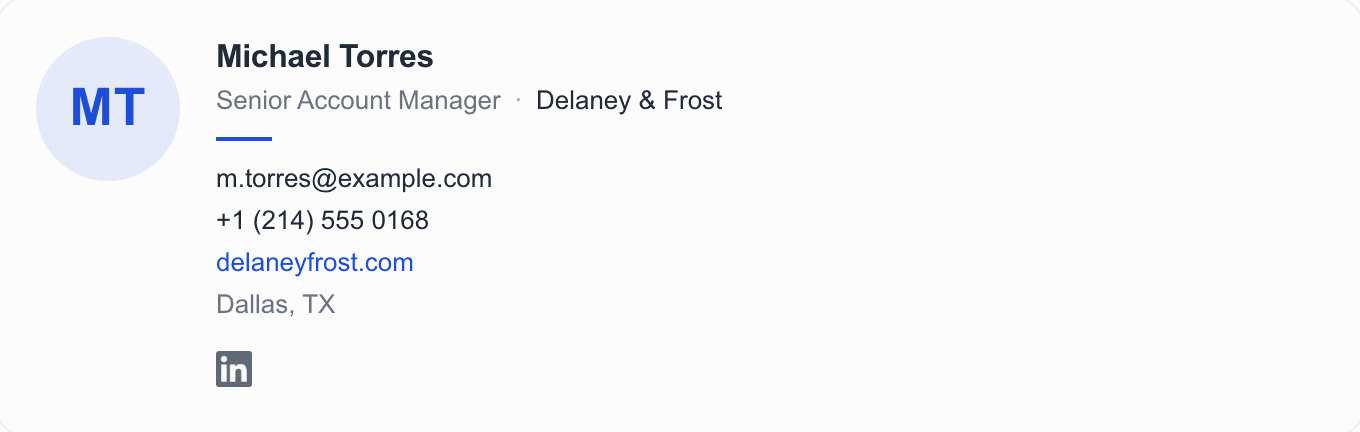
The layout most people picture when they hear 'email signature': an image block on the left, identity and contact details stacked on the right. Michael's shows initials because no photo was uploaded, so a monogram is drawn rather than leaving a hole, so the layout never depends on a file that might not arrive.
Why it works: The two-column shape gives the company roughly equal weight to the person, which is usually what a firm wants. It is conservative on purpose.
- Keep the left column to around 72px. Much larger and the image starts to dominate the message it is attached to.
3. Executive email signature
Claire Whitfield Chief Executive Ardent Group
|
Best for: Founders, directors and senior leadership
Claire's has fewer elements than the account manager's above, not more: name and company on the left, contact details behind a vertical rule, one social link, no photo. Everything that could have been added was considered and left out.
Why it works: Seniority reads as restraint. The fastest way to make a leadership signature look junior is to add a banner, a quote and five icons.
- A neutral accent, grey or near-black, ages better than a brand colour on a personal signature.
4. Small business owner email signature
|


Best for: Cafes, salons, studios, trades and local services
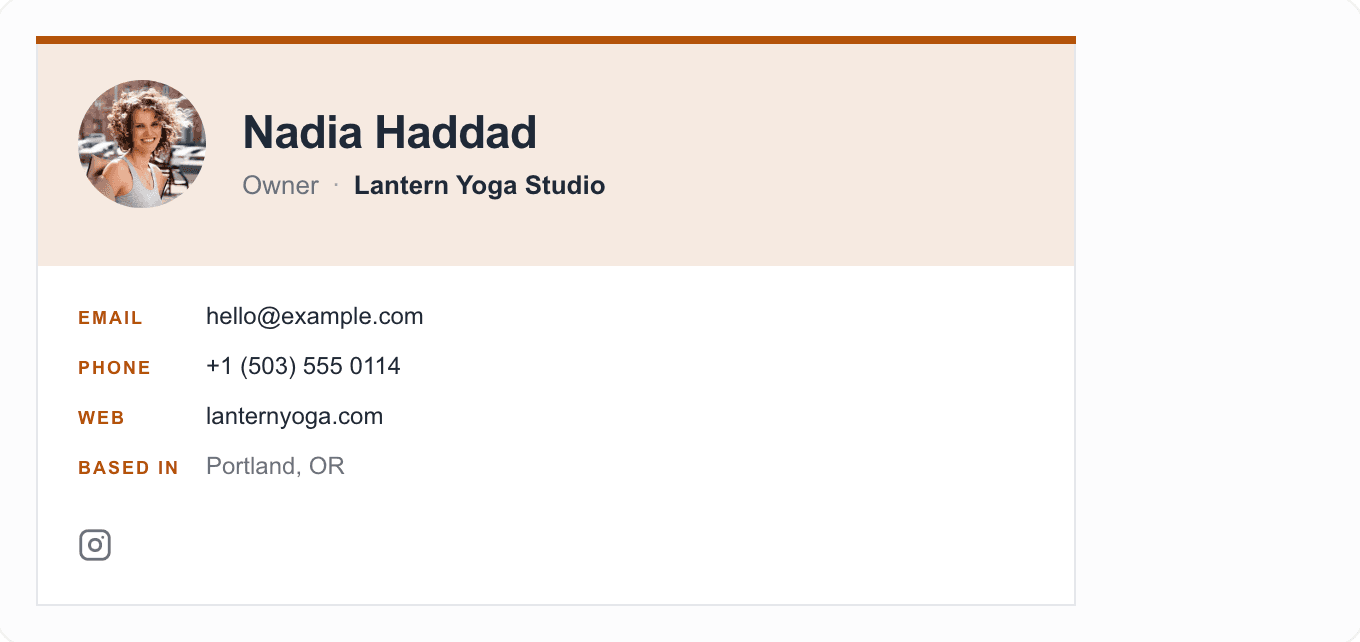
Nadia's leads with the business rather than the role, and includes the city. For a local business the location is not decoration. It is often the reason someone replies at all.
Why it works: One accent colour carries the brand without needing a logo file at all, and the panel keeps the business name the first thing read rather than the job title.
- Include the town or city if customers come to you. Leave it out if they do not.
5. Freelancer email signature
|


Best for: Designers, developers, writers and independent consultants
Jonas's puts each detail in its own chip rather than a list, which stays scannable as the list grows. Two social links: the one where the work lives, and the one where the hiring happens.
Why it works: Freelancers get judged on the portfolio link, so it has to be visible without hunting. Two profiles is a choice; six is a directory.
- Not every social profile belongs in a signature. If a client would never click it, leave it out.
6. Sales professional email signature
|

Best for: Account executives, B2B sales and business development
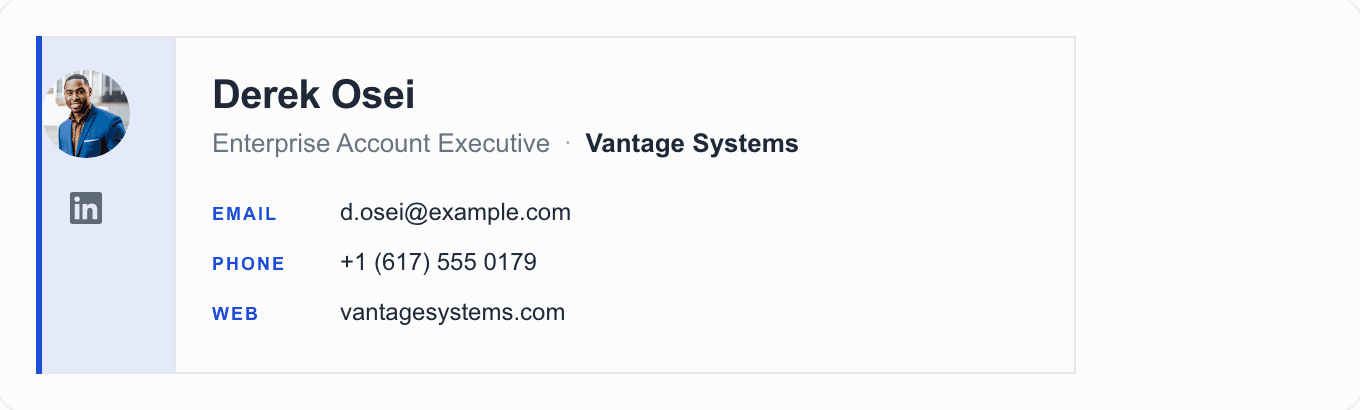
Derek's carries a direct phone number in the rail, where it lands immediately after the name, plus LinkedIn for the people who check before they reply. Everything else has been cut.
Why it works: A sales signature has one job: make it trivially easy to move the conversation to a call. A direct line does that. A switchboard number does not.
- Resist the meeting-link banner on a first email. It reads as a pitch before anyone has agreed to talk.
7. Real estate agent email signature
|

Best for: Agents and brokers
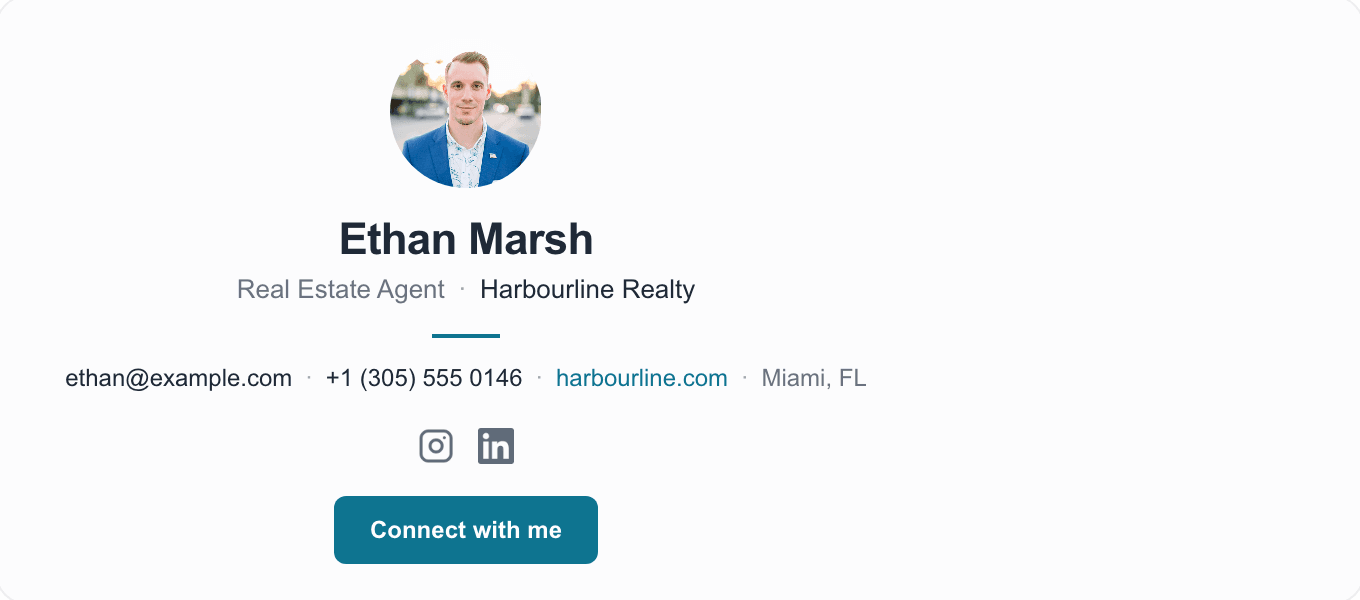
Ethan's is centred and photo-led, with the brokerage, the market he covers and one link holding the rest. Real estate is one of the few fields where a face genuinely does work in a signature.
Why it works: Clients pick an agent, not a brokerage, so the photo earns its space here in a way it does not in most signatures. The centred column also never splits awkwardly on a phone.
- Check whether your brokerage requires a licence number or specific branding in the signature.
8. Lawyer and professional services email signature
|
Best for: Legal, accountancy, financial advice and consulting
Alistair's is set like a letterhead: the firm in small caps above the name, then labelled details under a rule. No photo, no colour, no icons beyond LinkedIn.
Why it works: In professional services the firm's name is the credential. Setting it above the person, in the typography of printed stationery, is the whole design.
- If your firm requires a confidentiality notice, it belongs below the signature in smaller text, not woven through it.
- We cannot tell you what your regulator requires. Check before you change a compliance line.
9. Creator email signature



Best for: Creators, coaches and personal brands
Maya's drops the company entirely, because there isn't one. A large round photo, the role in the accent colour, three platforms, and one link that holds everything else.
Why it works: When your name is the brand, the photo is the logo. This is also the one case where three social icons are justified: the profiles are the product.
- Even here, only list platforms you actually post on. A dead account in a signature is worse than no link.
10. Creative professional email signature
|


Best for: Designers, photographers, art directors and studios
Léa's uses a dark masthead over a light contact block. It is the most visually committed template here, and the one that most repays sending to yourself before you commit to it.
Why it works: The colour blocks are drawn with table cell backgrounds rather than images, so the design survives when a client blocks remote images. The signature still reads with every picture turned off.
- Test a dark design against a dark-mode inbox. Some clients shift colours in ways you do not control.
11. Email signature without a photo
|
Best for: Anyone who cannot reliably host an image, or would rather not use one
This is the same classic layout as example two with the image column removed. It closes up rather than leaving a gap, and loses nothing anyone needed. A professional signature does not require a photograph of you.
Why it works: A headshot is a preference, not a requirement. Dropping it removes the single most common way a signature breaks: an image that does not load.
- Worth defaulting to if you send from a personal address with nowhere dependable to host a picture.
12. Email signature with a company logo

|
Best for: Employees of a company with an actual brand mark
Tomás's swaps the monogram for a hosted logo file, sized to the same column. The important detail is where the file lives: on a public URL, not embedded in the message itself.
Why it works: A logo does the recognition work a monogram can only approximate, and at this size it stays a mark rather than a billboard.
- Host the logo at a public HTTPS address and give it explicit dimensions so the layout does not jump while it loads.
- Some clients and some recipients block remote images by default, so the signature has to still make sense with the picture missing.
13. Email signature with social media icons
14. Compact mobile-friendly email signature

Best for: Everyone, and especially internal email
Two short lines at a smaller size, no image, one link. It is the shortest thing here that still counts as a signature, and on a phone that matters more than anything decorative.
Why it works: Threads get long. A signature that repeats twelve times down a reply chain is the one people learn to resent. This one disappears into the conversation.
- Gmail and Outlook both let you set a different signature for replies. This is what that setting is for.
15. Modern professional email signature
|

Best for: Anyone who meets people in person as well as by email
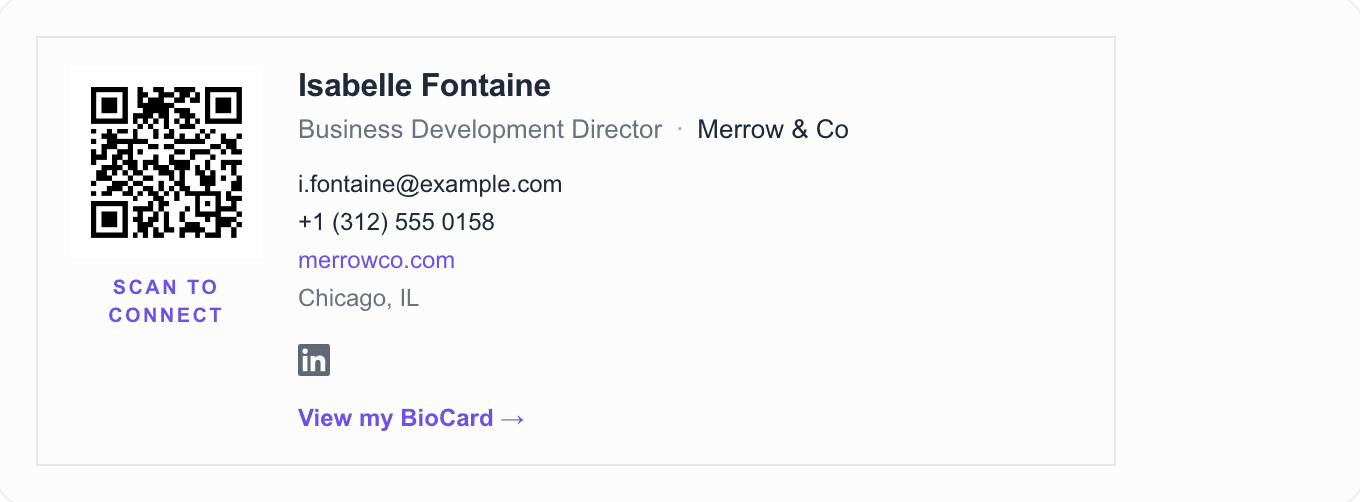
Isabelle's is built around a scannable code, framed so it reads as a card. The code opens one page holding her contact details, her links and a way to save her straight to a phone.
Why it works: It is the only example here that works off the screen as well as on it. Someone across a table can scan it from your laptop; someone in the inbox can click it.
- The code in this example opens Blyn's BioCard page, since the person is invented.
- A QR code only earns its space if the page behind it is worth landing on.
What should a professional email signature include?
Five things carry almost all of the value. Everything after that is a judgement call, and the default answer to a judgement call in a signature is no.
- Your full name, as you want to be addressed.
- Your job title or role, which tells a stranger whether they are talking to the right person.
- Your company, unless you are the company.
- One phone number. The direct one, if you have it.
- Your website, or the single page that holds everything else.
- A photo or logo, if you have one hosted somewhere dependable.
- Social profiles, but only the ones relevant to the work.
Your email address is the odd one out on that list. It is already in the header of every message you send, so repeating it is duplication rather than information. Plenty of people include it anyway, and it does earn its place when messages get forwarded or printed, though know that it is the one line you can drop without losing anything.
Less is usually better. Every line you add takes attention from the ones already there, and a signature gets read for about a second.
Email signature block examples
A signature block is the whole appended unit: the lines your email client adds under every message, including any logo, icons and disclaimer. People use "signature block" and "email signature" interchangeably, though the first is the more common phrasing in corporate and government settings, where a standard block is often mandated.
| Block type | What it contains | Best for |
|---|---|---|
| Standard | Name, role, company, one phone number, one link | Almost everyone; the default corporate block |
| Branded | The standard block plus a logo and brand colours | Client-facing roles at companies with brand rules |
| Regulated | The standard block plus a required legal disclaimer | Finance, legal, healthcare, insurance |
| Minimal | Name, role, one contact line, no images | Internal mail and heavy repliers |
| Academic | Name, department, institution, office and hours | Universities and research bodies |
The fifteen examples above are all signature blocks in this sense, rendered rather than described. If your employer mandates a format, follow it and use the layout notes here for the parts that are left to you: image size, link count and how the block behaves on a phone.
What is the standard email signature format?
The conventional format is four stacked lines: name on the first, role and company on the second, one contact method on the third, and one link on the fourth. Order matters more than styling. People read the top line and stop, so the name goes first and the disclaimer, if you need one, goes last in smaller text.
- Full name, and credentials only if your field expects them
- Job title, then company, on one line, separated by a comma or a pipe
- One direct contact method: a phone number, or a booking link if you would rather people schedule than call
- One link worth clicking: your site, portfolio or digital business card
- Optional last line: logo, social icons or a legal disclaimer, in smaller type
Keep the whole block under about 320 pixels wide and six lines tall. Wider than that and it wraps awkwardly on a phone; longer than that and it doubles the length of every short reply you send.
What should you avoid in an email signature?
- Oversized images. A 600px-wide logo above your name reads as an advert, not a signature.
- More than two or three colours. One accent is usually enough.
- Inspirational quotes. They date quickly and say nothing about how to reach you.
- Six or more social icons. At that point it is a directory and people stop reading it.
- Promotional banners on every message, including the ones that are two words long.
- Text below about 11px, which is genuinely hard to read on a phone.
- Several phone numbers. Pick the one you actually answer.
- Layouts that depend on modern web CSS (flexbox, grid, custom fonts), because email clients do not reliably support them.
- Images pasted in from your computer rather than referenced from a hosted URL.
Long legal disclaimers are their own case. If your organisation requires one, it belongs below the signature at a smaller size rather than woven through it. If nobody requires one, do not invent one. A disclaimer nobody asked for does not create any protection.
What size should an email signature be?
There is no official size, and anyone quoting one figure as the standard is quoting a convention. The convention is still worth following.
- Width: 600px is the traditional safe maximum for email, and signatures generally look better well under it, somewhere around 500px or less.
- Height: if it takes more vertical space than a short paragraph, it is competing with your message.
- Images: keep photos to roughly 70-100px and logos compact enough to read as a mark.
- Assume a phone. A signature that only works at desktop width will look wrong to a large share of your recipients.
The only test that settles it is sending the signature to yourself, reading it on your phone, then replying to that message and checking it still looks right once it is quoted.
Should you use a photo or logo in your email signature?
Both help with recognition, and neither is required. The question worth asking first is whether the image will actually load.
Images in email are fetched from wherever they are hosted, and some clients and some recipients block that fetch by default. A signature that only makes sense with the picture visible is a signature that sometimes makes no sense at all.
- Host the image at a public HTTPS URL rather than embedding it in the message.
- Set explicit width and height so nothing shifts while it loads.
- Keep the file small. A signature image does not need to be a print asset.
- Write useful alt text, because that is what shows when the image is blocked.
- Check that the signature still reads correctly with every image turned off.
Will the same email signature work in Gmail, Outlook and Apple Mail?
A well-built signature can work in all three. What it cannot do is render identically in all three, and no signature does.
- Gmail can modify HTML pasted into its signature editor, and strips some things outright, images embedded directly in the markup among them.
- Outlook is not one product. Outlook on the web and the newer Windows app behave differently from the classic Windows desktop app, which has historically used Word's rendering engine and is the strictest of the set.
- Apple Mail supports more styling than either, which makes it a poor place to test. Something that looks right there can still break elsewhere.
This is exactly why the examples above are built from nested tables and inline styles instead of modern CSS. It is old-fashioned markup, and it is the kind that survives the trip.
How do you end an email, and where does the signature start?
These are two different things, and confusing them causes the most common signature mistake. The sign-off is the line you type: 'Best', 'Thanks', 'Kind regards'. The signature block is what your email client appends underneath automatically.
Keep the sign-off in the message, not in the signature block. If 'Best regards' is baked into your automatic signature, it turns up on every one-word reply you send, which reads strangely under 'Sounds good.'
As for what to use instead of 'Sincerely': 'Best regards' and 'Kind regards' are safe in almost any professional context, 'Thanks' works when you have asked for something, and 'Best' is fine once you have exchanged a few messages. 'Sincerely' is not wrong, it is just formal enough that it can read as distant in everyday email.
How to create your own professional email signature
- Pick a layout that matches how you are read: conservative for professional services, photo-led if you are the product, compact if you live in reply threads.
- Fill in the five essentials first, then stop and ask whether anything else has earned its place.
- Choose one accent colour, usually from your company's brand, and use it once or twice rather than everywhere.
- Decide on an image honestly: a hosted logo, a hosted photo, or nothing at all.
- Copy the finished signature into your email client's signature settings.
- Send it to yourself, read it on a phone, then reply to that message and check it still holds up quoted.
Want your signature to do more?
A signature has room for roughly one link. That constraint is the whole argument for making that link a page rather than a homepage.
A Blyn BioCard is a single page someone can open from your signature to save your contact details straight to their phone, see every link in one place, reach your social profiles, book time with you or send an enquiry. It carries its own QR code, which is what lets the same link work when you are standing in front of somebody instead of emailing them.
Build your free page in about a minute
Unlimited links, lead capture, click analytics and a QR code, all on the free plan.
Try it free
Best for: Community, marketing and anyone whose audience lives on a platform
The minimal layout with an icon row added: LinkedIn, Instagram and X, and nothing else. Compare it with example one to see what three icons cost in height.
Why it works: Three is about the limit before icons stop reading as links and start reading as texture. Picking three forces you to decide which platforms actually matter.
- Icons are images too. If they are blocked, the rest of the signature still has to carry your contact details.
Create a signature like this→